Staking & Bankroll Management

Tag: mySlips

  • Staking & Bankroll Management

    Staking & Bankroll Management

    Many members ask us what is the best method for bankroll management and implementing a good solid staking plan. We will provide with you all the information you need to make good decisions with your staking and bankroll management.

    If you are investing your hard-earned money into horse racing you should be doing it for fun. At the same time, you should treat it as an investment that you would rather not lose. By doing this you will already have an advantage against most punters out there.

    • Bankroll Management – Increase profitability and reduce risk by staking correctly
    • Bankroll size – How big should your bankroll be.
    • Staking Plans – Decide correctly and strategically how to stake your investments
    • Losing runs – learn how to stake correctly for risk reduction
    • Bet tracking – Use your MyTm page as a base for bankroll management and bet analysis.

    Bankroll Management

    A Common Mistake

    The first and most important thing to understand is that you must be prepared to lose your WHOLE KITTY.

    If you are not, you cannot stake correctly.

    You would be amazed at how many people, when asked how much of their bankroll they are prepared to lose say anything other than 100%.

    It should be about enjoying the experience and having fun without pressure.

    There is no point in a staking plan that allows for a 100 bet losing sequence if you are not mentally prepared to lose 100 points.

    Having a £100 bankroll but only being prepared to lose £50 is just silly.

    Decide how much you are prepared to invest into a Horse racing Kitty with the knowledge that you could lose it all.

    Bankroll Size

    Firstly. You should not bet on anything if you cannot afford to lose the money in the first place. Please, please think before you bet and if you feel you have a problem do not join our service. Betting on the horses is not an exact science and you are highly likely to lose.

    Betting should be fun. Even if you take it seriously, as many of our members do. Feeling the pressure of every losing bet is no good for you or your profitability.

    We strongly suggest that you use a betting bank of at least 100 bets (points).

    You must be willing to continue with your staking plan. Even if you have lost half or even most of your kitty.

    Losing runs happen. If at the start of your journey, you are prepared to lose your whole bankroll, this should not affect your staking strategy. Remember you can always start again.

    If you lose your entire bankroll due to a terrible run, you should have the ability to shrug it off and start again.

    Take the opportunity of looking back at your selection processes and or staking plan and try to figure out why your selections have not been performing.

    Staking Plans

    There are literally hundreds of staking plans available out there these days.

    At TrackMate we advocate a simple but highly effective staking plan strategy of betting 1% of our initial betting bank on each selection.

    There are two highly effective strategies you can use when deciding when to increase stakes.

    • Set your stake at 1% of your bankroll every day. Keep all bets the same size for that day and reset to 1% of the new balance the following day.
    • Set your stakes at 1% of initial bankroll and only increase stakes when your bankroll hits preset milestones.

    For example:

    Conservative compounding staking plan

    Starting bankroll is £200

    Bet size should be £2 per race and you should stick to this until your kitty reaches £300 or busts (100 bets)

    When your bankroll hits £300 you increase stakes to £3 (still 1% of the kitty) when your kitty hits £400 you start staking at £4 and so on.

    If you hit a losing run and your kitty hits the starting point of £200 again you drop back to £2 stakes.

    In this strategy as your bankroll increases so does your ability to absorb longer losing sequences. By the time you have made 50% profit. Your balance is now 150 bets deep.

    This is a sensible and structured approach to staking.

    Aggressive compounding staking plan

    Although this is still a fairly conservative staking plan as your bankroll should still start at at least 100 bets it is just slightly different to our more cautious approach above.

    This staking plan allows for daily stake sizes to be determined by the daily balance as long it’s above your bankroll starting size.

    As long as you are in profit the stake is set daily at 1% of current bankroll balance.

    If you are not in profit you level stake 1% of starting balance.

    For example:

    Starting balance is £200

    Bet size should be £2 per race and you should stick to this until you are in profit or your kitty busts (100 bets).

    As soon as you are in profit, your stakes increase in line with your balance but stay at 1%.

    If your kitty reaches £210. Your stakes the following day would be £2.10

    If your kitty drops back to £200 or below you resort to level staking £2 until you are in profit again.

    This is an incredibly profitable staking plan.

    These rules are not set in stone but if you follow this practice you will get a lot of fun for your small initial investment.

    Who knows maybe next season you will be able to start with a much larger starting kitty!

    losing runs

    There are so many variables to consider and endless unforeseen events occur which could alter the outcome of a horse race so bankroll preservation should be top of your list.

    You can see from the below table the potential losing sequences you can have with the specified strike rates. It is always best to have as big a bankroll as possible and start with small stakes.

    This image has an empty alt attribute; its file name is Estimated-Longest-Losing-Run-Ready-Reckoner.jpg

    As you can see. Even a 35% strike rate, which is incredibly high can endure losing sequences of up to 20 consecutive bets and we would always double this number at least in order to comfortably cover these inevitable runs.

    It happens. Get used to it.

    Bet Tracking

    One of the most important ways to maintain a proper bankroll management strategy is to incorporate a strict routine for logging your bets and results.

    How else can you keep track of all your investments.

    By keeping a record of all your bets you have the ability to spot “leaks” in your strategy and correct them when you spot them.

    You will find on your personal myTrackMAte page that all bets and stakes that you log in your MYslips are trannsfered automatically into and logged into your bet history page.

    All bets in this log are automatically updated daily with results and will keep a record of your profit/Loss figures as well as your strike rate and ROI.

    This incredible tool is available for all TM members and will help you manage your bets better than ever before.

  • myTrackMate – Everything you need to know

    myTrackMate – Everything you need to know

    The myTrackMate page is a personal homepage, a one-stop page where all your race card interactions are saved so you can see all your activity in one place. Everything from myTRACKER to mySLIPS and your betting history and statistics. Read on for full explanations for each feature and how to use them.

    Here is a full list of the “myTrackMate” page features:

    Live Race Cards

    TrackMate refers to all races which haven’t run yet as “Live” and are visible for all members. There is a link to today’s live cards in the sidebar options menu which looks like this .

    FREE Account Members will only get to see ratings for one card a day selected by the Trackmate Team (see Today’s FREE Race Card below) whereas Subscribing Members will get ratings on all “Live” cards as well as the uses of the Race Card Filter features.

    Historic Race Cards

    TrackMate refers to all races which have results as “Historic“. There is a link to historic cards in the sidebar options menu which looks like this .

    All members will have access to over 5 years of historic race card ratings making it a quick and simple to check and process results. These results and ratings are the perfect way to backtest your systems and strategies. Additionally, all subscribing members will have access to the Race Card Filters feature. Normally this is used alongside your systems on live cards, but it is also a very powerful tool you coan used to test your systems on historic cards.

    Race Card of the Day (Today’s FREE Race Card)

    The sidebar options menu also has a link to the race card of the day which looks like this . This race is selected daily from that day’s race cards by the TrackMate team.

    Normally it is a race of interest or just a race we feel should be highlighted, but can also be used for competitions and alike to identify a particular race. This button is only visible to subscribing members, if you are a FREE Account Member it will look like this instead and is the only live race card available with ratings. It is usually the same race card selected for all members, unless stated otherwise.

    myTRACKER

    myTRACKER is a list of all of the horses you have selected to keep an eye on. They are highlighted on every race card that horse has/will run in so they’re easily identifiable. You can also add/edit notes like why you selected this horse for each.

    How to add a horse to your myTRACKER

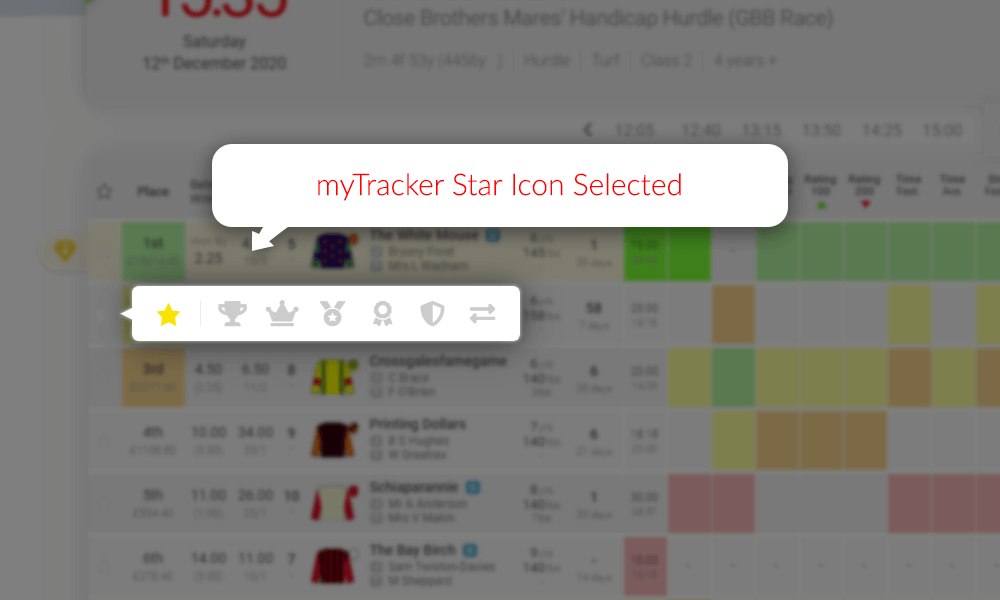
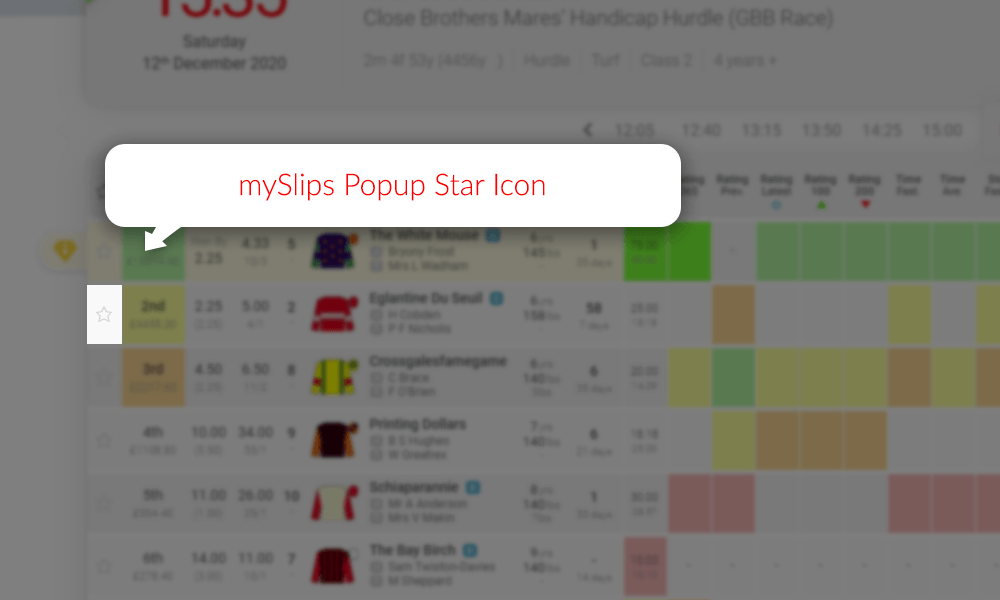
    When you click on the star icon to the left of any runner on a race card you will see a selection popup.

    Sample Race Card mySlips Star Icon - TrackMate
    The star icon popup menu button is grey when the horse isn’t selected.

    In the popup click on the star icon to add that horse to your myTRACKER.

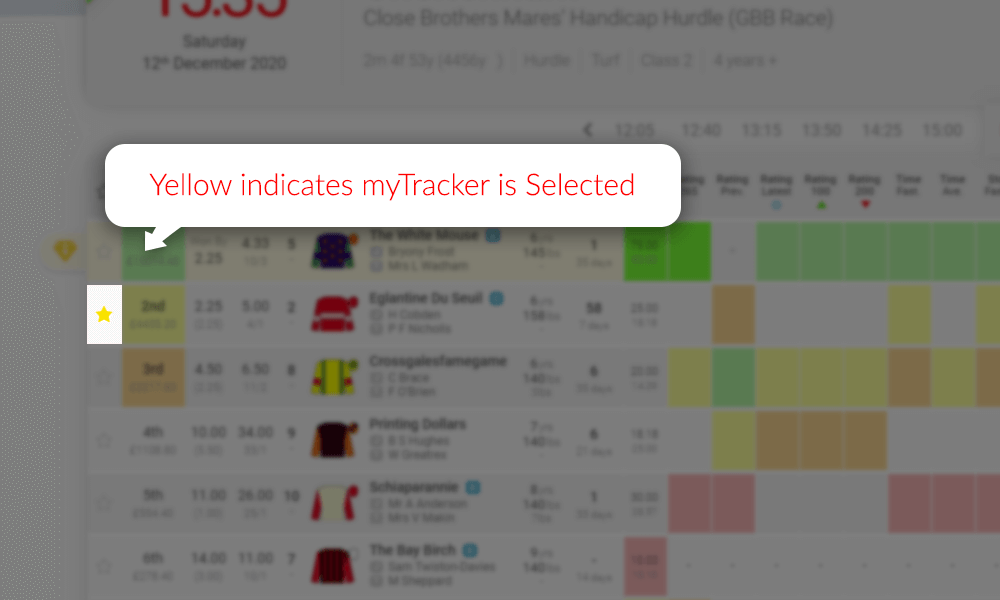
    Sample Race Card myTracker Selected - TrackMate
    Selected icons will change colour when successfully selected.

    When you click on icon it will change to yellow to identify your selection. At the same time a simple form will dropdown so you can add notes. These notes will be available for you at all times from the race card or your myTrackmate myTRACKER section.

    Sample Race Card mySlips Notes - TrackMate
    Notes will popup when you click the icons, or when you hover over a selected icon.

    Your myTRACKER horses are highlighted on race cards

    Horses added to your myTRACKER will change the star icon on race cards to yellow to highlight that this horse has already been added to your myTRACKER selections.

    Sample Race Card mySlips Star Icon Selected - TrackMate
    The star icon will have a blue border if you have added this horse to mySlips.

    mySLIPS

    • Tracks your bets and logs them in your personal myTrackMate database.
    • Automatically calculates profits/losses and stores the data.
    • See your stats for today, the last 7 days, the last 30 days or all historic bets.
    • Track your win rate.
    • Auto updated ROI calculations.
    • Make notes in your MySlips.
    • Test your systems before you jump in by monitoring your selections statistics before you bet for real.
    • Use either fractional or decimal odds for your stats.
    • The TrackMate System will auto stake all bets from your mySLIPS with £2 stakes and use the SP as your odds unless specified in your slip.
    • Statistics and bankroll management software.

    Another great feature we offer our members is the mySLIPS bet tracking software.  When you find a horse that you are interested in having a bet on, simply click on the next to the horse’s name and save it in your mySLIPS which will then be visible on your mySLIPS section on your myTrackMate page. This process is the same as selecting a horse for myTRACKER (see explanation and image examples above in the myTracker section)

    The bet tracking feature is the ultimate way to track your success and implement great bankroll management skills which will improve your profitability immediately.

    The Trackmate Team

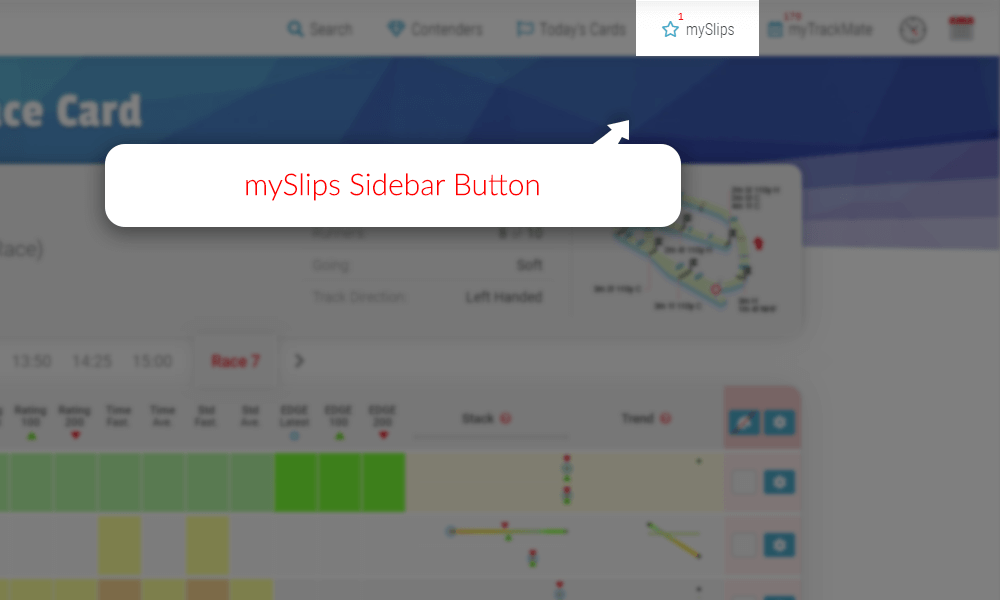
    When logged in as a registered TrackMate member you will see the members infobar under the main menu. On the members infobar you will see the button which opens the mySLIPS sidebar.

    Sample Race Card mySlips Closed - TrackMate
    The red number above the button represents how many slips you have in your mySlips.

    When you have selected a bet type for a horse from a race card it will automatically be placed in this mySLIPS sidebar. When open you will see a list of all your selected horses where you can enter your odds, stakes and bonus places.

    Sample Race Card mySlips Open - TrackMate
    This example shows the horse The White Mouse slip in mySlips.

    When you hover over the slip it will partially expand so you can see more info without having to select it. This is useful when you have multiple slips.

    Sample Race Card mySlips Hover - TrackMate
    The White Mouse when you hover over it.

    When you click on a slip it will fully expand. There are inputs on every mySlips slip which allows you to add the odds you have taken for your bet, which can be added as either fractional or decimal formats, the stake you would like to place and if your bet includes bonus places. The slip will automatically log your bet details, calculate your total stakes and predicted return/profit. You can choose if you’d like to see predicted return or profit in the settings on your myAccount page.

    Sample Race Card mySlips Clicked - TrackMate
    Edit “Odds” and “Stake” for each bet type and it calculates the predicted return/profit for you.

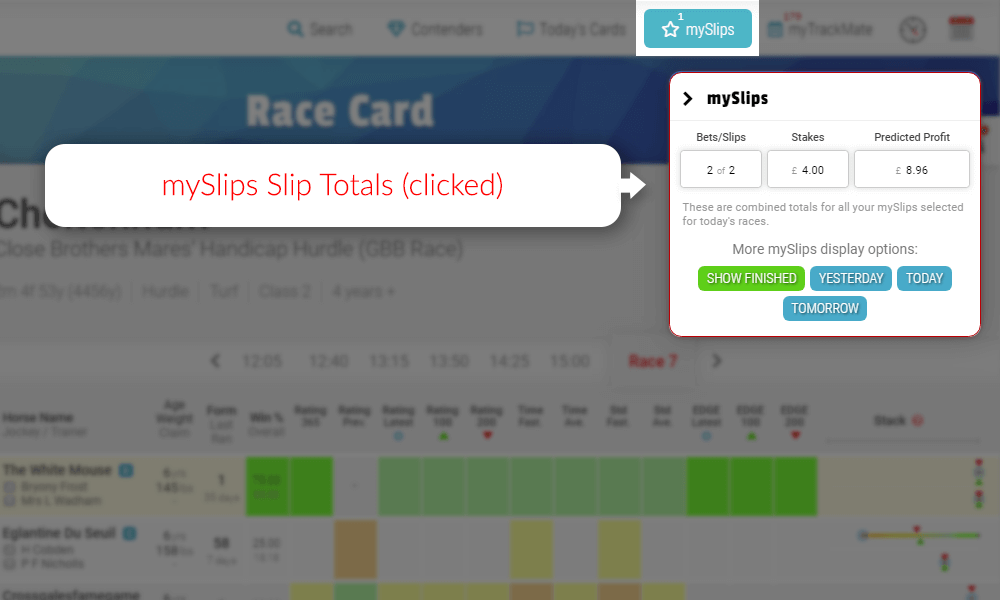
    You can check the total stakes and predicted return/profit for all the slips combined by clicking the “Current mySlips” header above the slips. This example says Current mySlips because the period has been set to “Race Card” as will be explained next.

    Sample Race Card mySlips Totals Clicked - TrackMate
    mySlips slip totals worked out for you.

    You can also decide what content period you would like the mySlips sidebar to show you. This example is set to “Race Card” which will only show your slips for the race card you are currently on. The title of the mySlip header will change depending on your selection. The selection is saved and will be used until changed again. Other options are “Yesterday” to only see yesterday’s slips, “Today” to only see today’s slips and “tomorrow” to only see what you have picked out for tomorrow’s races.

    Your myTrackMate data is automatically transferred to this page and will track your statistics for; wins, losses, win rate (%) and even your return on investment (ROI).

    Race Card Adjustments

    • View all your ignored/removed runners.
    • View all your ignored/removed runs.
    • Edit ignored/removed notes.
    • Remove/Reinstate/Reset runners and races back to their race card.

    Your myTrackMate page also allows you access to your personal database of horses and races you have ignored or removed. MyTrackMate Race Card Adjustments can be reinstated or leave them stored in your personal database.

    TrackMate 7 day Support

    You’ll also find a support link/button in the options menu for 7 days a week support from the TrackMate Team. The support button looks like this .

    If you need additional information or help using any feature, please use this link rather than the standard contact form. This support team link connects you directly so will get your requirements dealt with a lot faster.